
Shopify gets a lot of credit for making ecommerce feel polished out of the box. Some of that credit is deserved. Shopify’s onboarding is smooth, its templates are clean, and several of its features genuinely set a high bar for what a modern online store should do.
What often gets missed in the Shopify vs WooCommerce conversation is that most of those features exist on WooCommerce too. Sometimes natively, sometimes via a free plugin, sometimes via a low cost one. The difference is you’re not paying Shopify’s monthly platform fee to access them, and your store data, customer list, and checkout experience stay entirely under your control.
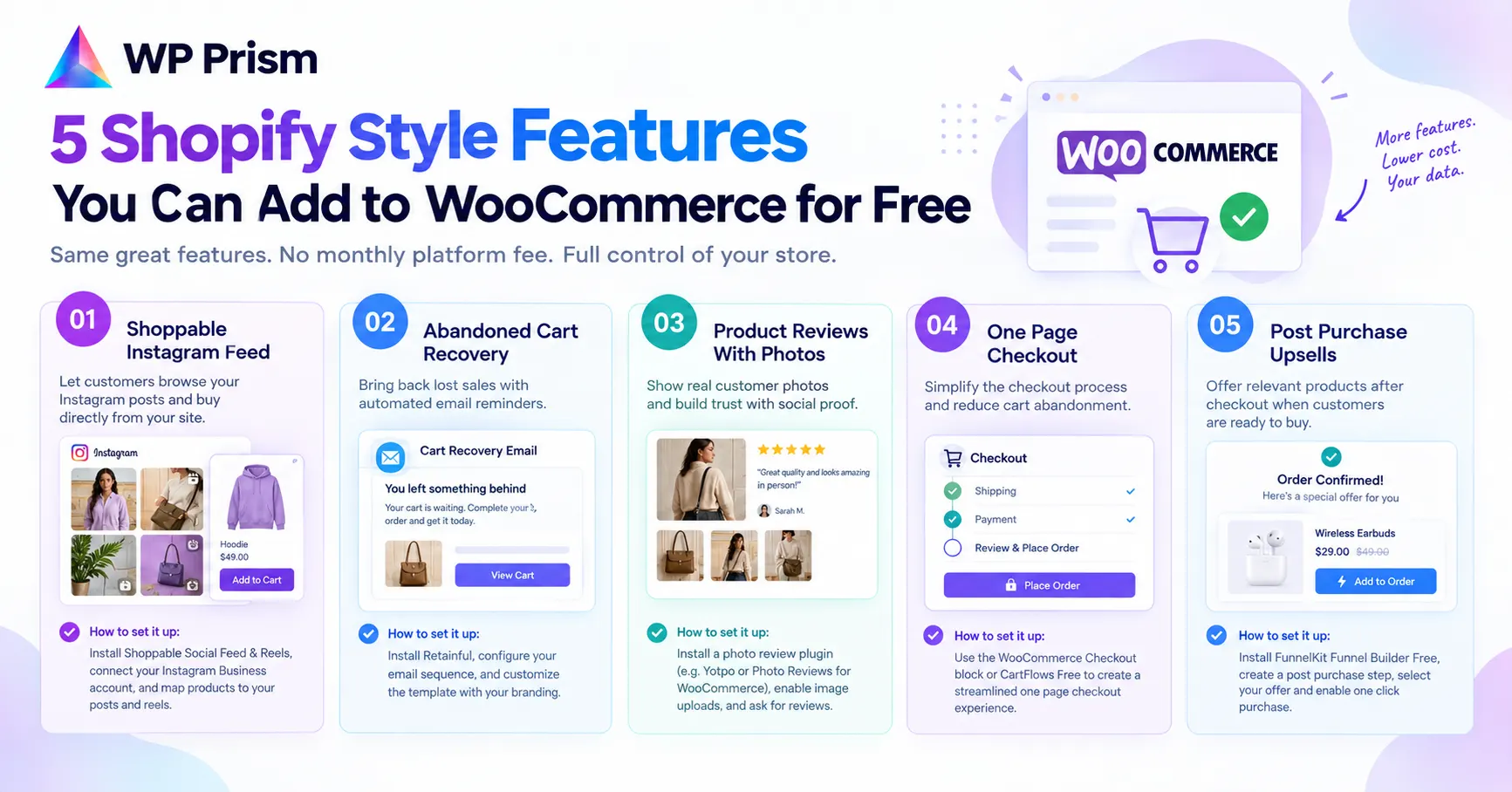
Here are five Shopify features worth replicating on your WooCommerce store, and exactly how to do it.
1. Shoppable Instagram Feed
Shopify has native Instagram shopping integration that lets customers browse your Instagram posts and buy directly. It’s one of the features that gets highlighted most often when people talk about Shopify’s social commerce capabilities.
On WooCommerce, the Shoppable Social Feed & Reels plugin does this and goes a step further. Your Instagram posts and reels sync to a gallery on your WordPress site. Clicking any post opens a scrollable, story style lightbox where the mapped WooCommerce product appears as a card with a direct Add to Cart button. The entire experience happens on your domain, through your checkout, with every conversion tracked in your own analytics.
The key difference from Shopify’s version: with Shopify’s Instagram integration, purchases that happen inside Instagram go through Meta’s checkout, which means Meta captures that session data. On WooCommerce with a shoppable gallery, every sale flows through your own checkout and feeds your own customer data.
How to set it up: install Shoppable Social Feed & Reels, connect your Instagram Business account, map WooCommerce products to your posts and reels, and place the gallery on your homepage or category pages using the [shoppable_social_feed_reels] shortcode or Gutenberg block.
2. Abandoned Cart Recovery
Shopify includes abandoned cart email recovery on its Basic plan and above, automatically emailing customers who added items to their cart but didn’t complete checkout. It’s one of the highest ROI features in ecommerce, consistently recovering 5 to 15 percent of abandoned carts depending on the store and email timing.
On WooCommerce, CartFlows or the free Retainful plugin handles this. Retainful’s free plan includes abandoned cart emails with customizable templates and timing sequences. It captures the customer’s email as soon as they enter it on the checkout page, even if they don’t complete the order.
How to set it up: install Retainful, configure your abandoned cart email sequence (a single email 1 to 2 hours after abandonment is a reasonable starting point), and customize the template with your branding and a direct link back to the customer’s cart.
3. Product Reviews With Photos
Shopify’s native product reviews are basic, but its app ecosystem includes photo review plugins that display customer submitted images alongside star ratings. Social proof with visual evidence consistently lifts conversion rates on product pages, particularly for apparel, home goods, and anything where seeing the product in a real context matters.
On WooCommerce, the free version of Yotpo or the WooCommerce Product Reviews Pro plugin handles photo reviews. For a completely free option, the built in WooCommerce reviews with the free “Photo Reviews for WooCommerce” plugin from the WordPress repository adds image upload capability to the standard review form.
How to set it up: install your chosen review plugin, enable photo uploads on the review form, and consider adding a follow up email after purchase (via your email marketing tool) inviting customers to leave a photo review. Incentivizing reviews with a small discount on a future order increases submission rates significantly.
4. One Page Checkout
Shopify’s checkout is consistently praised for being fast and friction free, partly because it consolidates the checkout process into as few steps as possible. Standard WooCommerce checkout spreads across multiple pages by default, which adds friction and drop off points.
WooCommerce introduced a native block based one page checkout in recent versions, available through the WooCommerce Blocks plugin which ships with WooCommerce itself. Enable it by replacing your checkout page shortcode with the WooCommerce Checkout block, which renders the cart and checkout fields on a single page.
For more control, CartFlows Free offers a customizable checkout flow builder that lets you design a streamlined checkout experience including order bumps and upsells.
How to set it up: go to your checkout page in WordPress, switch to the block editor, and replace the existing [woocommerce_checkout] shortcode block with the WooCommerce Checkout block. Preview on mobile especially, since one page checkout has the biggest impact on mobile conversion rates.
5. Post Purchase Upsells
Shopify’s higher tier plans and its app ecosystem support post purchase upsell pages, showing a relevant product offer on the thank you page after a customer completes checkout. These convert at a higher rate than pre checkout upsells because the customer is already in a buying mindset and their payment details are already entered.
On WooCommerce, the free version of CartFlows or the WooCommerce native “Frequently Bought Together” functionality handles basic post purchase offers. For a more controlled upsell page experience, the free Funnel Builder by FunnelKit plugin lets you design a dedicated post purchase offer page that appears between the order confirmation and the thank you page.
How to set it up: install FunnelKit Funnel Builder Free, create a post purchase step in your checkout flow, select the product to offer (choose something that complements what the customer just bought rather than a random bestseller), and set a one click purchase option so the customer doesn’t have to re enter payment details.
The Real Comparison
When Shopify users list reasons to stay on Shopify, these five features come up regularly. All five exist on WooCommerce, most for free or close to it. The platform fee you’d pay Shopify for a plan that includes abandoned cart recovery, a polished checkout, and social commerce tools is significantly higher than the combined cost of the WooCommerce plugins that replicate the same functionality.
The trade off with WooCommerce is setup time. Shopify’s features are pre integrated and on by default. WooCommerce requires choosing and configuring the right plugins. But the payoff is a store that runs on your own infrastructure, with your own data, and no monthly platform tax on your revenue.
Frequently Asked Questions
Is WooCommerce actually free? WooCommerce itself is free. You’ll pay for WordPress hosting, your domain, and any premium plugins or themes you add. The total cost depends on your hosting plan and which plugins you use, but most small to medium stores run comfortably under what a comparable Shopify plan costs monthly.
Can I migrate from Shopify to WooCommerce without losing my data? Yes. Several plugins handle Shopify to WooCommerce migration including products, customers, and order history. Cart2Cart and the WooCommerce Importer are two commonly used options. It’s worth doing a test migration on a staging site before going live.
Does WooCommerce scale as well as Shopify for high volume stores? Yes, with the right hosting. WooCommerce on managed WordPress hosting (Kinsta, WP Engine, or Cloudways) handles high volume stores well. Shopify’s advantage is that scaling is largely handled for you, WooCommerce scaling requires more deliberate infrastructure choices.
Will adding these plugins slow down my store? Each plugin adds some weight. Install them one at a time, test page speed after each addition, and remove any that cause a significant impact relative to the value they add. The plugins listed above are generally lightweight relative to what they offer.
Already on WooCommerce and want the shoppable Instagram feed? Get Shoppable Social Feed & Reels and have your first gallery live in under 15 minutes.