
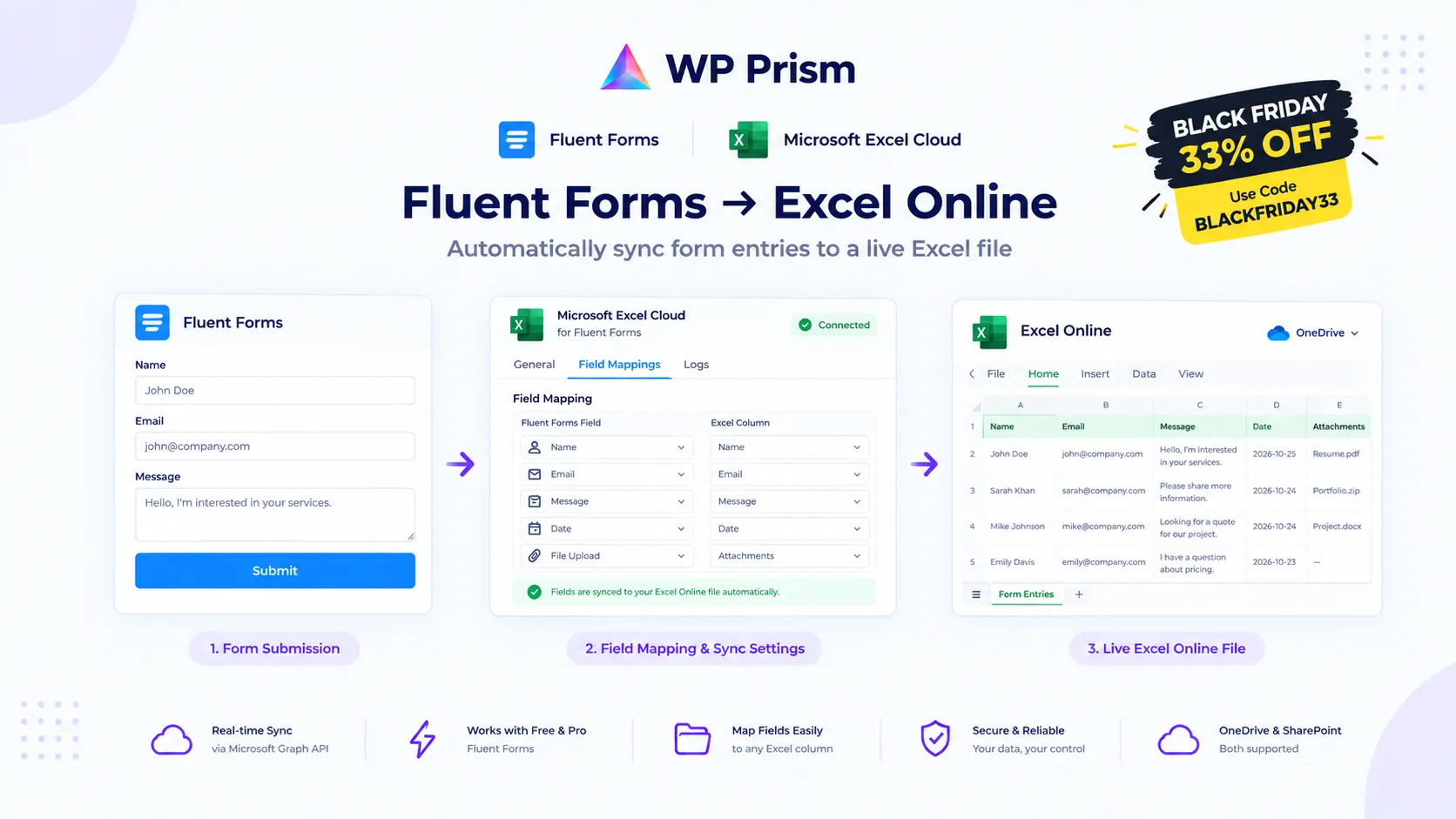
When someone submits a Fluent Form on your site, that entry lands in the Fluent Forms dashboard. If your team also needs those entries in Microsoft Excel, someone has to move the data. That might mean an export, a copy-paste, or a Zapier zap that charges per task.
Microsoft Excel Cloud for Fluent Forms removes the middleman. This Black Friday, it is 33% off with code BLACKFRIDAY33, and the discount applies to renewals too.
What It Does
The plugin connects Fluent Forms directly to a live Excel workbook in OneDrive or SharePoint via Microsoft Graph API. Every form submission pushes a new row to your designated spreadsheet instantly. No export, no manual upload, no automation tool sitting in between.
Key features:
- Real-time sync via Microsoft Graph API, no cron delay
- Works with Fluent Forms Free and Fluent Forms Pro
- Map any Fluent Forms field to any Excel column
- Retry queue: automatic retries on failed sync attempts
- Connects through your own Azure app via OAuth2, no data passes through any third party server
Setup
One-time setup: register a free Azure app in Microsoft Azure (about 15 minutes), connect it to the plugin via OAuth inside your WordPress admin, then create a feed on your form and map your fields to Excel columns. Every submission syncs from that point forward.
Full setup guide at wpprism.com/docs.
Why the Renewal Discount Matters
This is not a first-payment-only deal. The discount applies to renewals too. A lifetime plan means one payment at the reduced rate, no renewals at all.
How to Claim
Go to the Microsoft Excel Cloud for Fluent Forms page, choose your plan, and enter BLACKFRIDAY33 at checkout.
Frequently Asked Questions
Does this work with SharePoint as well as personal OneDrive? Yes. The plugin supports personal OneDrive, OneDrive for Business, and SharePoint document libraries.
Do I need Fluent Forms Pro? No. The plugin works with both Fluent Forms Free and Fluent Forms Pro.
Can I map different forms to different Excel workbooks? Yes. Each form feed points to its own workbook and worksheet.
What happens if the sync fails during a submission? The retry queue catches failed syncs and retries automatically. No entries are lost.
33% off with code BLACKFRIDAY33. Stop manually moving Fluent Forms data into Excel. Get Microsoft Excel Cloud for Fluent Forms and let every submission sync itself.