
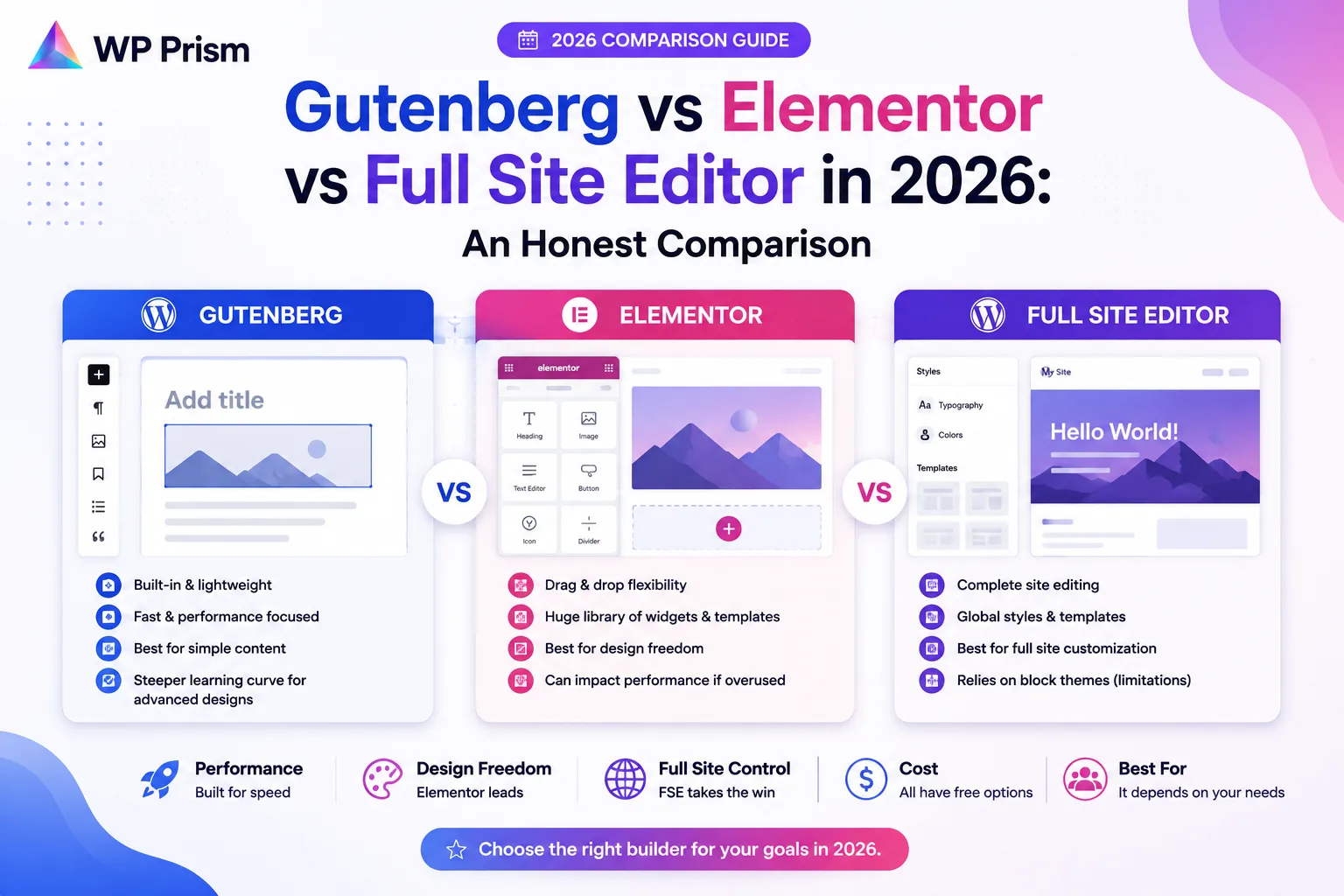
If you build WordPress sites for a living, or maintain a growing number of them, you’re making this choice constantly. Gutenberg, Elementor, the Full Site Editor. They all produce pages. They make very different trade offs about how, and those trade offs compound over time in ways that aren’t obvious when you’re setting up a new site.
This isn’t a post that tells you one of these is simply better than the others. They’re genuinely different tools that suit different situations. Here is an honest comparison of all three in 2026, including what each one costs you in performance, portability, and long term maintenance.
Gutenberg: The Block Editor
Gutenberg is WordPress’s built in content editor, introduced in WordPress 5.0 and now the default editing experience for posts and pages. You build content by inserting and arranging blocks: paragraphs, headings, images, columns, buttons, and anything added by block plugins.
What it does well:
Content editing in Gutenberg is clean and fast for standard editorial work. The block library covers most common content patterns, and the output is semantic HTML stored natively in post_content, which means the content is readable and portable without any plugin active.
For developers, Gutenberg is the lowest risk choice for content that needs to stay maintainable long term. There’s no proprietary shortcode layer. Disabling any block plugin doesn’t corrupt the content, it just renders the block as a fallback comment in the source.
Where it falls short:
Gutenberg’s native design control is limited. Spacing, typography, and layout options have improved significantly in recent versions, but achieving a highly custom visual design without adding a block plugin or writing custom CSS requires patience and workarounds that Elementor handles in seconds.
The editing experience is also less intuitive for non developers used to a drag and drop visual builder. Clients who self manage their sites often find Gutenberg’s block selection and settings panel less approachable than Elementor’s sidebar.
Best for: blogs, content heavy sites, developer built sites where performance and long term portability matter more than visual complexity.
The Full Site Editor
The Full Site Editor (FSE) extends Gutenberg from content editing to full site building. With a block based theme, you can edit your site’s header, footer, archive templates, single post templates, and global styles, all using the same block interface as the content editor.
This is the direction WordPress core is actively investing in. Block themes, the template editor, and global styles have all matured significantly since FSE launched. In 2026, FSE is a genuinely viable option for building complete sites rather than just editing content within a fixed theme layout.
What it does well:
FSE gives you end to end site control using WordPress’s native tools with no third party builder required. The output is standards based, performant, and fully compatible with WordPress’s own update path. A site built on FSE with a well made block theme is about as future proof as a WordPress site can be.
Template parts (header, footer, sidebar) are reusable and editable from a central location, which makes global changes faster than editing a classic theme’s PHP files or an Elementor global section.
Where it falls short:
FSE is still maturing. Some features that are straightforward in Elementor require more steps or block plugin additions in FSE. The ecosystem of quality block themes and block libraries, while growing, is not as large or polished as the Elementor template and widget ecosystem.
For clients who self manage content, FSE’s template editing can be confusing. The line between editing content and editing site structure is blurrier than it is in a classic theme with Elementor locked to page content only.
Best for: developer built sites where full standards compliance and long term maintainability are the priority, sites that need to perform exceptionally well in Core Web Vitals, and projects where the developer will handle structural changes rather than leaving them to the client.
Elementor
Elementor is the most widely used third party page builder for WordPress. It operates as a visual drag and drop editor layered over WordPress, with its own widget library, template system, global settings, and increasingly its own hosting and AI features.
What it does well:
Elementor’s visual editing experience is genuinely excellent for complex, design heavy layouts. Pixel level control over spacing, typography, and layout is faster in Elementor than in either Gutenberg or FSE for most design patterns. The template library, global color and font system, and responsive controls are mature and well documented.
For agencies building sites for clients who self manage content, Elementor’s editor is more approachable for non developers than Gutenberg or FSE. The visual feedback loop (change something, see it change immediately in context) reduces the learning curve significantly.
Where it falls short:
Elementor stores page content in its own proprietary format in the database. Deactivate Elementor and your page content becomes inaccessible in any readable form. You’re committed to Elementor for the life of that site unless you’re willing to rebuild content from scratch.
The JavaScript and CSS footprint is significant. Elementor loads its assets globally across the site, including on pages where no Elementor content exists, which contributes to slower load times and lower Core Web Vitals scores than a comparable Gutenberg or FSE built page. This is well documented and consistently shows up in performance audits.
Elementor’s pricing has also increased substantially in recent years. The free version has meaningful limitations, and the Pro and Agency tiers add up across a multi site portfolio.
Best for: agencies building visually complex sites quickly, clients who self manage content and find Gutenberg confusing, projects where design flexibility and speed of build matter more than performance optimization.
Side by Side
| Gutenberg | Full Site Editor | Elementor | |
|---|---|---|---|
| Content storage | Native WordPress (portable) | Native WordPress (portable) | Proprietary format (locked in) |
| Full site control | No (content only) | Yes | Yes |
| Design flexibility | Limited without block plugins | Moderate, improving | High |
| JavaScript footprint | Low | Low | High |
| Core Web Vitals impact | Minimal | Minimal | Noticeable |
| Client self management | Moderate | Moderate to low | High |
| Long term portability | High | High | Low |
| Active development | Yes, WordPress core | Yes, WordPress core | Yes, third party |
| Best use case | Content sites, blogs | Full sites needing performance and portability | Design heavy sites, agency builds |
Which One Should You Use in 2026
Use Gutenberg for content editing on any site regardless of what else you’re using. Even on an Elementor site, posts and standard pages that don’t need visual complexity are better managed in Gutenberg than forcing everything through Elementor.
Use the Full Site Editor if you’re starting a new site and performance, long term maintainability, and standards compliance are priorities. Pair it with a quality block library like Kadence Blocks or GenerateBlocks for design flexibility without the Elementor weight.
Use Elementor if you’re building for clients who will self manage visual layouts, if your project requires a design complexity that FSE can’t yet match efficiently, or if you’re already maintaining a large portfolio of Elementor sites where consistency matters more than switching costs.
The honest answer for most professional WordPress developers in 2026 is that FSE is worth learning seriously even if Elementor remains your primary tool for client work. The gap between what FSE can produce and what Elementor can produce has narrowed significantly in the last two years, and the performance and portability advantages of FSE only become more relevant as Google’s page experience signals continue to carry weight.
Frequently Asked Questions
Can I use Elementor and the Full Site Editor on the same site? Technically yes, but it creates a confusing editing environment and is generally not recommended. Pick one approach for site structure and stick to it.
Is Elementor Free enough, or do I need Elementor Pro? For basic page building, Elementor Free covers a lot. Elementor Pro adds the Theme Builder (which gives you full site control comparable to FSE), the form widget, WooCommerce builder, and the full widget and template library. For professional use, Pro is effectively required.
Will Gutenberg eventually replace Elementor? Not in any near term sense. Elementor serves a different audience and use case than Gutenberg alone. The more relevant question is whether FSE narrows the gap enough over the next few years that the portability and performance trade offs of Elementor become harder to justify for new projects.
Does using Elementor hurt my SEO? Not directly from a content perspective. The impact is on Core Web Vitals, particularly Largest Contentful Paint and Total Blocking Time, where Elementor’s JavaScript footprint can contribute to lower scores on performance audits. Whether that translates to a ranking difference depends on how competitive your target keywords are and how well optimized the rest of the site is.
Whatever builder you use, the plugins you add to it should extend WordPress cleanly rather than layer in more bloat. See how WP Prism builds plugins with the same standards first approach.