
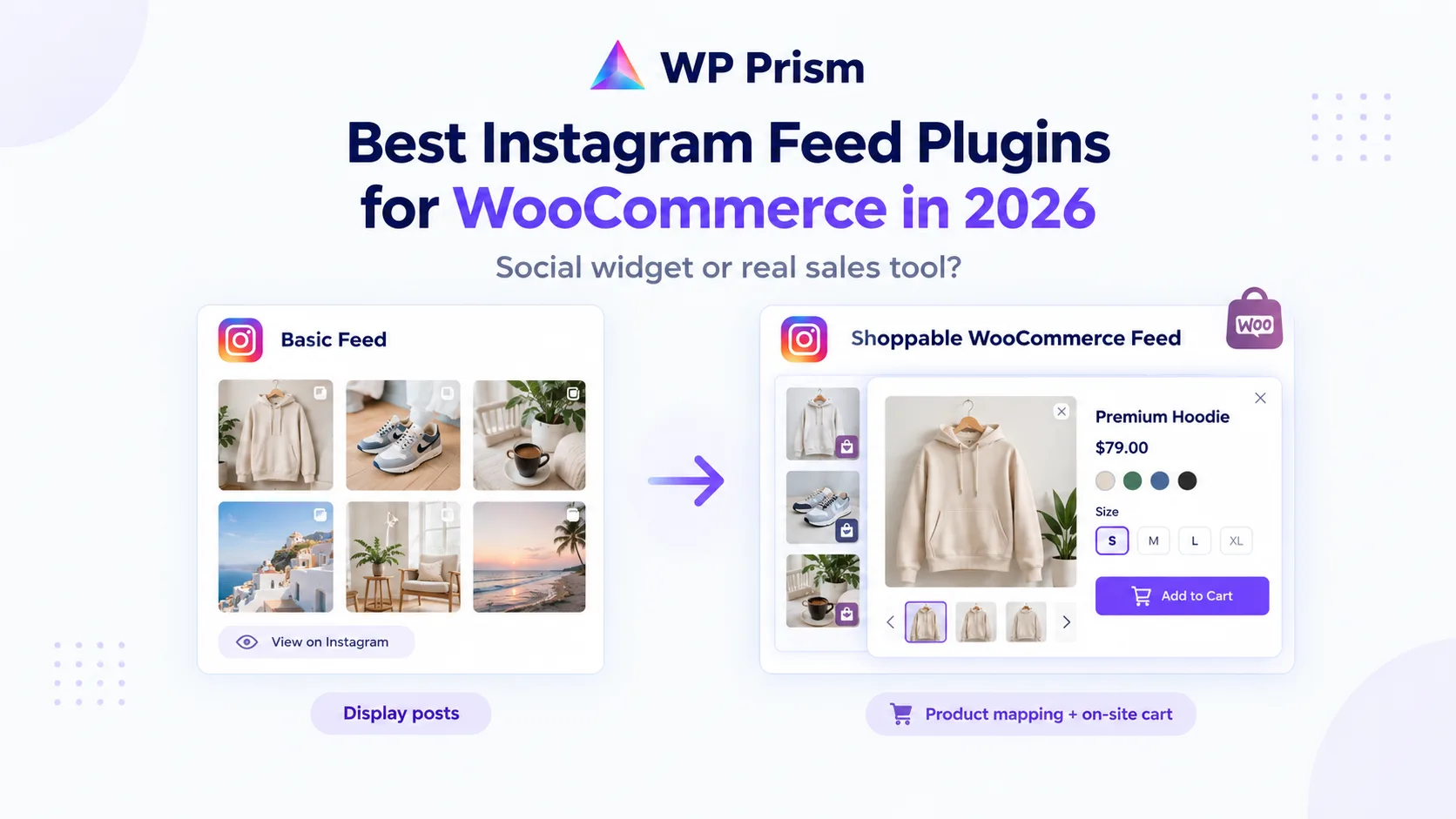
If you search for “Instagram feed plugin WordPress,” you will find dozens of options. Most of them do the same thing: pull in your latest posts, display them in a grid, and let visitors click through to Instagram. That is a social widget. It is not a sales tool.
For WooCommerce store owners, the difference matters. A social widget adds visual interest. A shoppable feed plugin turns your Instagram content into an on site buying experience. This comparison covers the real options available in 2026, what each one actually does, and where the line falls between an embed and a conversion tool.
What to Look for in an Instagram Feed Plugin for WooCommerce
Before comparing specific plugins, the feature checklist is worth stating clearly:
Minimum to be useful as a social widget:
- Pulls in posts and reels from your Instagram account
- Displays in a clean, customizable grid
- Updates automatically when you post new content
- Loads without significantly slowing your site
What makes it a genuine sales tool for WooCommerce:
- Maps specific WooCommerce products to specific posts
- Opens a lightbox or product detail view on click without leaving your site
- Shows the mapped product with price and an active Add to Cart button
- Keeps the checkout flow entirely on your domain
- Does not require Instagram Shopping approval or a Meta commerce account
Only a handful of plugins pass the second list. Most stop at the first.
The Options
Smash Balloon Social Photo Feed
Smash Balloon is one of the most installed Instagram feed plugins on WordPress.org. It handles the display side well: multiple layout options, header customization, load more buttons, and reliable API connectivity. The free version covers most display needs.
The gap for WooCommerce stores: Smash Balloon’s shoppable features work by linking posts to external URLs, either a product page or a custom link you enter manually. There is no native WooCommerce product mapping. Clicking a tagged item takes the visitor to a product page, which means leaving the feed context and starting a standard product page journey. There is no lightbox, no product card overlaid on the content, and no Add to Cart action inside the feed experience.
For stores that just want their Instagram feed on a page and do not need an integrated buying experience, Smash Balloon is a solid choice. For stores that want the feed to drive add to cart actions directly, it falls short.
Best for: Display and brand presence. Not for WooCommerce conversion.
Instagram Feed by 10Web
10Web’s Instagram feed plugin focuses on clean display with customizable layouts. The free tier covers basic embedding. Like most plugins in this category, it does not offer native WooCommerce product mapping or an on site buying experience. It is a social widget with good design options.
Best for: Simple, clean Instagram display with no commerce requirements.
Feed Them Social
Feed Them Social supports Instagram, Facebook, and other networks in one plugin. For multi-platform social display it covers a lot of ground. WooCommerce integration is not a focus, and there is no native product mapping or shoppable lightbox functionality.
Best for: Agencies managing multiple social feeds across platforms. Not for WooCommerce conversion.
Shoppable Social Feed & Reels (WP Prism)
Shoppable Social Feed & Reels is built specifically for WooCommerce stores that want to convert Instagram content into sales, not just display it.
The core difference: it maps actual WooCommerce products to each post or reel, not just a URL. When a visitor clicks any post, a full screen scrollable lightbox opens, the same swipe and scroll motion as Instagram Stories. The mapped product appears as a card inside the lightbox: product name, price, short description, and a live Add to WooCommerce Cart button. The add to cart action happens right there. The visitor never leaves your site, and the purchase flows through your own WooCommerce checkout.
This matters for a few reasons specific to WooCommerce stores:
Customer data stays yours. Every order processed through WooCommerce generates a customer record in your own database, your own email list, and your own analytics. Nothing is captured by a third party platform.
No Meta approval required. Instagram Shop requires applying to Meta’s commerce program, meeting their product eligibility requirements, and maintaining compliance with their commerce policies. Shoppable Social Feed & Reels connects to Instagram via the standard API for displaying your own content. No commerce account, no approval process, no dependency on Meta’s policy decisions.
Works with your existing WooCommerce setup. Payment gateways, shipping rules, tax settings, discount codes, and loyalty programs all apply normally since the purchase goes through WooCommerce. Nothing bypasses your existing store logic.
Variable product support. If you sell products with size or color variations, the lightbox product card supports variation selection before the add to cart action, so customers can pick the right option without going to the full product page.
Setup takes about 15 minutes: install the plugin, connect your Instagram account via the official API, map WooCommerce products to your posts, then place the gallery using a shortcode or Gutenberg block. The shortcode is [shoppable_social_feed_reels].
Best for: WooCommerce stores that want Instagram content to drive actual sales, not just visits.
Side by Side
| Smash Balloon | 10Web Feed | Feed Them Social | Shoppable Social Feed & Reels | |
|---|---|---|---|---|
| Instagram post display | Yes | Yes | Yes | Yes |
| Reels support | Yes | Limited | Limited | Yes |
| WooCommerce product mapping | URL only | No | No | Full native mapping |
| On site lightbox with Add to Cart | No | No | No | Yes |
| Keeps checkout on your domain | Partially | No | No | Yes |
| Requires Meta commerce approval | No | No | No | No |
| Variable product support in feed | No | No | No | Yes |
| Pricing model | Free + paid tiers | Free + paid | Free + paid | Paid |
The Real Question: Widget or Sales Tool?
Most Instagram feed plugins are designed to answer one question: how do I show my Instagram posts on my WordPress site? Shoppable Social Feed & Reels is designed to answer a different question: how do I turn my Instagram content into sales on my own site?
If the goal is brand presence and social proof, any of the options above work. If the goal is measurable revenue from Instagram content, with orders in your WooCommerce dashboard and customers in your email list, only one option in this comparison is built for that.
Frequently Asked Questions
Can I use a shoppable feed without WooCommerce? Yes. Shoppable Social Feed & Reels can also link posts to any URL, which works for external product pages, affiliate links, or non-WooCommerce catalogs. The native WooCommerce product mapping is the premium feature for stores that want the full lightbox and Add to Cart experience.
Do I need Instagram Shopping or a Meta Business account to use this? No. The plugin connects to Instagram via the standard content API to display your own posts and reels. Meta’s Instagram Shopping program is a separate product with its own requirements and approval process. Shoppable Social Feed & Reels does not require it.
How often does the feed update with new posts? The feed syncs automatically on a schedule. You can also trigger a manual sync from the plugin dashboard any time you want a new post to appear immediately.
What happens to the feed if Instagram changes its API? The plugin uses Instagram’s official API, the same one all reputable Instagram feed plugins use. When Meta makes API changes, plugin updates handle compatibility. This is not a unique risk to this plugin.
Can I show only selected posts rather than my full feed? Yes. You can choose which synced posts to display and which to leave out of the gallery. A curated selection of your best performing content usually converts better than an unfiltered complete feed.
Ready to turn your Instagram feed into a WooCommerce sales channel? Get Shoppable Social Feed & Reels and have your first shoppable gallery live in under 15 minutes.