
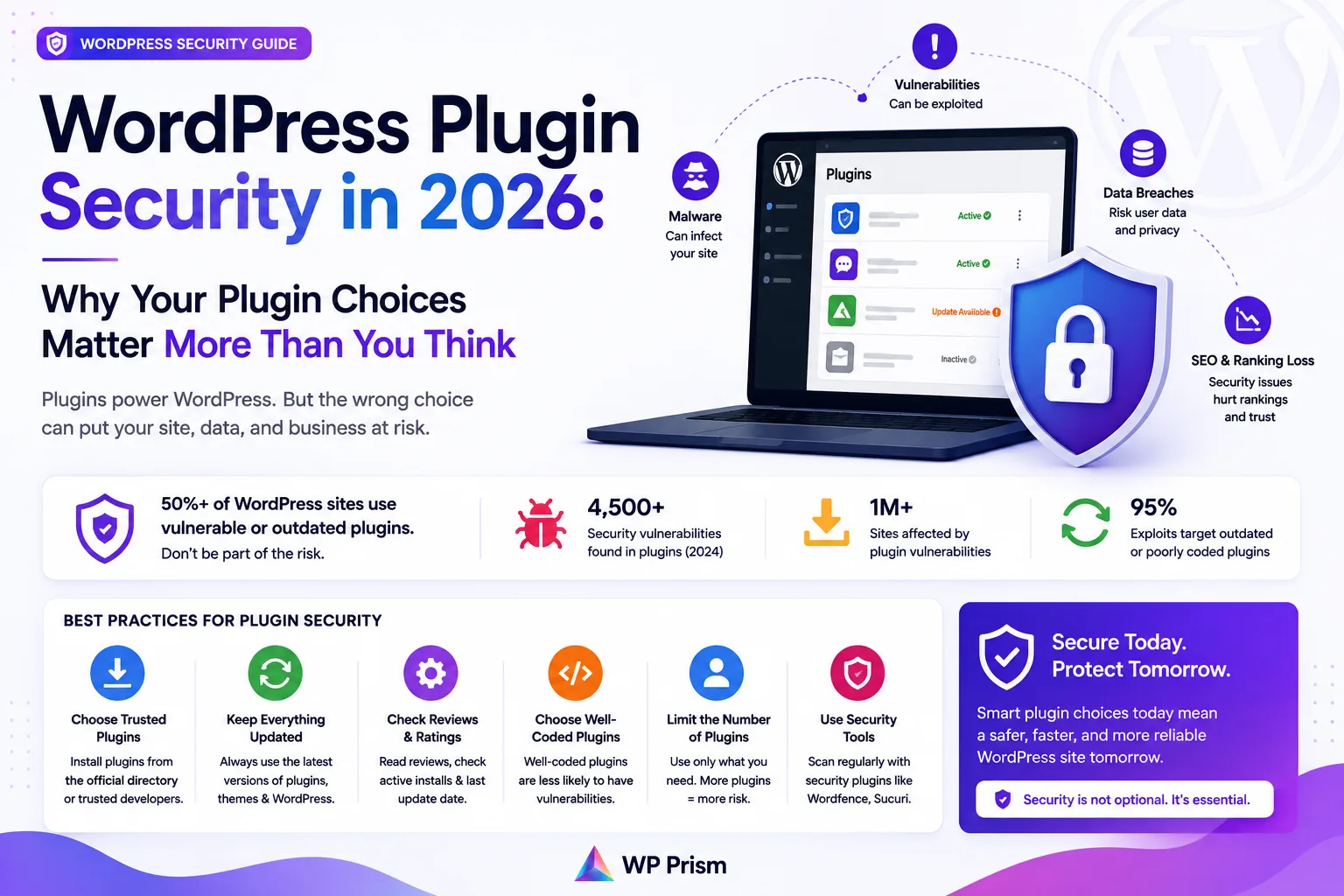
WordPress security discussions tend to focus on the same handful of topics: use strong passwords, keep everything updated, install a firewall plugin, enable two factor authentication. All of that is valid. None of it addresses the most common actual source of WordPress compromises in 2026, which is the plugins themselves.
Not outdated plugins, although that matters too. The more fundamental issue is the quality and maintenance posture of the plugins you install in the first place. A plugin that’s actively maintained, scoped tightly to its feature, and written to modern PHP standards is a different kind of risk than a bloated, rarely updated plugin that injects code across your entire site.
Here is what that distinction looks like in practice, and what to check before you install anything.
Why Plugins Are the Highest Risk Surface on Most WordPress Sites
WordPress core has a dedicated security team, a formal vulnerability disclosure process, and updates that go out to hundreds of millions of sites. The same can’t be said for every plugin in the repository.
The plugin ecosystem ranges from actively maintained, security conscious codebases to plugins that were last touched in 2019 and still have 50,000 active installs because they work well enough that nobody has thought to replace them. That second category is where most WordPress compromises start.
The attack pattern is straightforward: a researcher (or a threat actor) finds an unpatched vulnerability in a popular plugin, publishes it, and automated scanners start probing sites running that plugin version within hours. Sites that haven’t updated are exposed, often before a patch even exists.
The defense isn’t just “keep plugins updated,” although that’s necessary. It’s also about reducing the number of plugins with access to your site’s code execution environment in the first place, and choosing plugins whose developers are paying attention.
What an Actively Maintained Plugin Looks Like
A few things to check before installing any plugin:
Last updated date. The WordPress plugin repository shows when a plugin was last updated. Anything over 12 months without an update should be treated with caution, even if the “tested up to” version looks recent. Updates can be cosmetic. Actual security patches and code maintenance look different in a changelog.
Changelog transparency. A plugin with a public, detailed changelog is one where the developer is accountable for what changed and when. Changelogs that just say “bug fixes and improvements” across every release are a yellow flag. Changelogs that document specific fixes, including security related ones, are a green flag.
Active support forum. Check the plugin’s support tab in the WordPress repository. Are questions being answered? Are reported bugs being acknowledged? A developer who engages with support requests is paying attention to the plugin. One who hasn’t responded in months probably isn’t.
Code scope. A plugin that adds one specific capability should add one specific capability. If a contact form plugin is also injecting scripts on your product pages, your archive pages, and your checkout page regardless of whether there’s a form on those pages, that’s unnecessary code running across your entire site. More code running across more pages means more surface area for something to go wrong.
The Nulled Plugin Problem
Nulled plugins, pirated copies of paid plugins distributed for free, deserve their own section because they remain one of the most common malware vectors on WordPress in 2026.
The economics of nulled plugins are simple for the person distributing them. You take a paid plugin, remove or bypass the license check, and redistribute it. To cover the cost of hosting and distribution, or simply because you can, you add something to the code first. A backdoor, a redirect script, an SEO spam injector, or a cryptocurrency miner are all common additions.
The person who installs a nulled plugin often has no idea anything was added. The plugin works exactly as advertised. The malicious code runs quietly in the background, or activates on a delay to avoid immediate detection.
There is no safe source for nulled plugins. The risk isn’t hypothetical. It’s a well documented, consistently exploited attack pattern, and the only defense is not installing them.
If a plugin costs money and you’re looking at a free version somewhere other than the official WordPress repository or the developer’s own site, you’re looking at a nulled plugin. The legitimate free version, if one exists, will be in the WordPress repository. Anywhere else is a gamble with your site and your clients’ data.
Lightweight Plugins and a Smaller Attack Surface
There’s a security argument for plugin minimalism that goes beyond just “fewer plugins means fewer vulnerabilities,” although that’s true.
The more specific point is about code that runs on every page load. A plugin that loads its scripts and stylesheets globally, registers hooks across your entire site, and initializes on every request is present at every point where something could go wrong. A plugin scoped tightly to its feature, loading only on pages where that feature is active, is a smaller presence in your site’s execution environment.
This is one of the reasons plugin architecture matters as a purchasing decision, not just a developer preference. A plugin built to modern WordPress standards, using hooks cleanly, loading assets conditionally, and not maintaining a parallel framework alongside WordPress core, is inherently a lower risk addition to your site than one that isn’t.
A Practical Pre Install Checklist
Before adding any plugin to a production site:
- Check the last updated date in the WordPress repository. Under 6 months is good. Over 12 months is a flag.
- Read the changelog for the last 3 to 4 releases. Look for evidence of active development and security awareness.
- Check the support forum. Is the developer responding?
- Search “[plugin name] vulnerability” in Google. Known vulnerabilities that haven’t been patched are documented in databases like WPScan and Patchstack.
- Ask whether you actually need this plugin or whether WordPress core or an existing plugin already handles the use case.
- Never install a plugin from a source other than the official WordPress repository or a developer’s verified site.
None of this guarantees a vulnerability will never exist in a plugin you install. It does meaningfully reduce the probability that you’re installing one with a known, unpatched issue, or one where no one is watching for new issues to emerge.
Frequently Asked Questions
How many plugins is too many? There’s no magic number. The more relevant question is how many plugins are running code on every page load. Audit your plugins for global asset loading and deactivate anything you’re not actively using.
Is the free version of a plugin always less secure than the paid version? Not inherently. Many reputable plugins offer a free version with a genuine subset of features. The risk isn’t free vs paid, it’s the source. Free from the WordPress repository is fine. Free from a random site is not.
Should I install a security plugin? A dedicated security plugin (firewall, malware scanning, login protection) is a reasonable addition to most sites. It doesn’t replace good plugin hygiene, it’s an additional layer. Don’t let having a security plugin make you less careful about what else you install.
How do I know if a plugin I already have installed has a known vulnerability? Patchstack and WPScan both maintain public vulnerability databases you can search. The Patchstack WordPress plugin also alerts you to vulnerabilities in your installed plugins in real time.
At WP Prism, every plugin we build follows a strict policy of clean, scoped code, active maintenance, and transparent changelogs. See our full plugin lineup and what each one is built to do.